🚚 Free Worldwide Shipping on All Orders!Shop Now
\n
\n
\n
\n
\n
\n

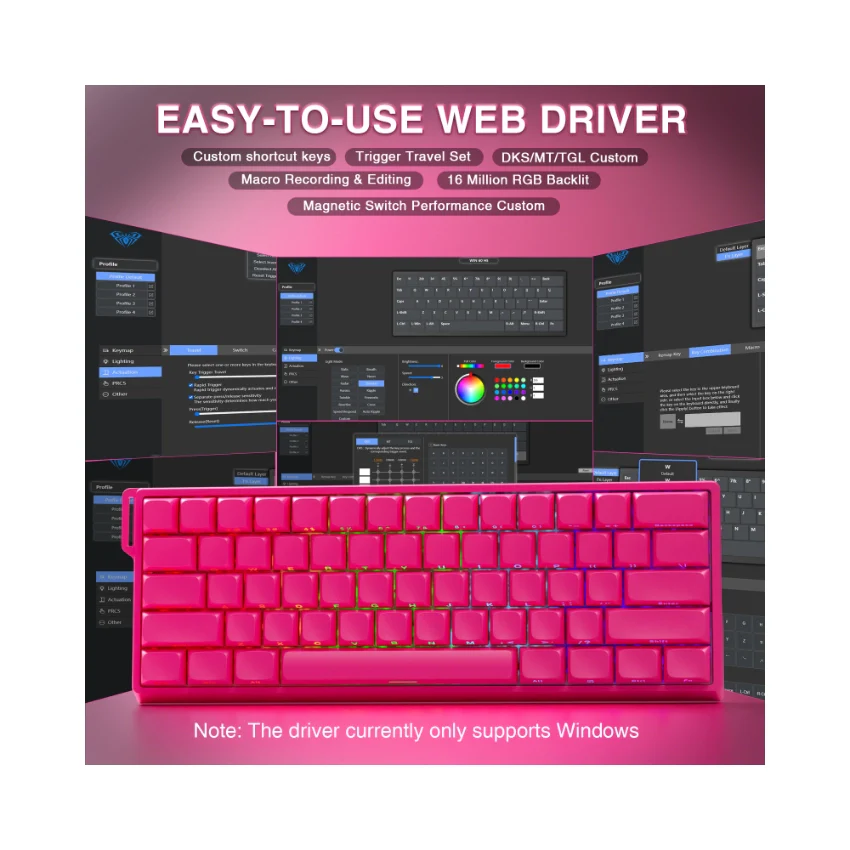
AULA Online Driver (Chrome)

\n
\n

How to Connect Software

\n
    \n
  1. Visit the official \"AULA\" website.
  2. \n
  3. Navigate to the \"Downloads\" page, then click on \"Driver.\"
  4. \n
  5. Locate the link for the \"WIN60 Magnetic Switch Keyboard Website Driver\" and select the \"Standard Edition.\"
  6. \n
  7. Click \"Allow browser access,\" choose your device from the list, and then click to connect.
  8. \n
\n
\n
\n
\n

\n
\n
\n \n
\n\n
\n
\n\n
\nThe video showcases the product in use.The video guides you through product setup.The video compares multiple products.The video shows the product being unpacked.\n
\n
\n
\n
\n

AULA WIN60 HE Online Drive

\n Merchant Video\n
\n\n
\n
\n
\n
\n
\n
\n
\n
\n
\n
\n
\"hall
\n
\n

\n
\n
\n
\n
\n
\n
\"mad
\n
\n

\n
\n
\n
\n\n
\n
\n\n

\n\n
\n
\n
\n
\n
\n\n
\n

AULA WIN60 HE Hall Effect Keyboard-The Perfect Blend of Precision and Durability

\n
\n
\n

What is the Hall Effect?

\n

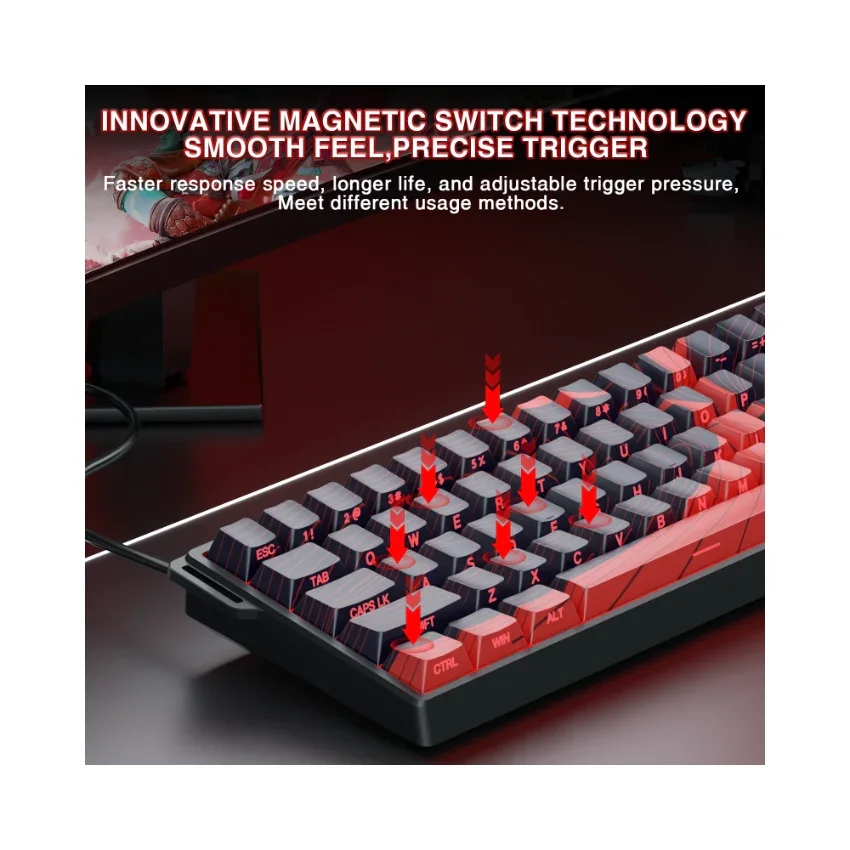
The Hall Effect is a physical phenomenon that allows our keyboard, like the AULA WIN60 HE, to detect whether a key has been pressed by sensing changes in the position of a tiny magnet beneath each key, rather than relying on traditional mechanical contact. This means every keystroke can be recognized with exceptional precision, while also avoiding the wear and tear issues common to traditional switches over time.

\n

Why Choose the AULA WIN60 HE Hall Effect Keyboard?

\n

Ā 

\n
    \n
  • Unmatched Precision: With Hall Effect technology, the AULA WIN60 HE offers unparalleled accuracy, ensuring that every keystroke is registered correctly. It's perfect for gaming or tasks requiring rapid responses and fine control.
  • \n
  • Extended Lifespan: Thanks to its innovative design without physical contact points, the AULA WIN60 HE is virtually immune to wear from use, ensuring long-term stability and reliability.
  • \n
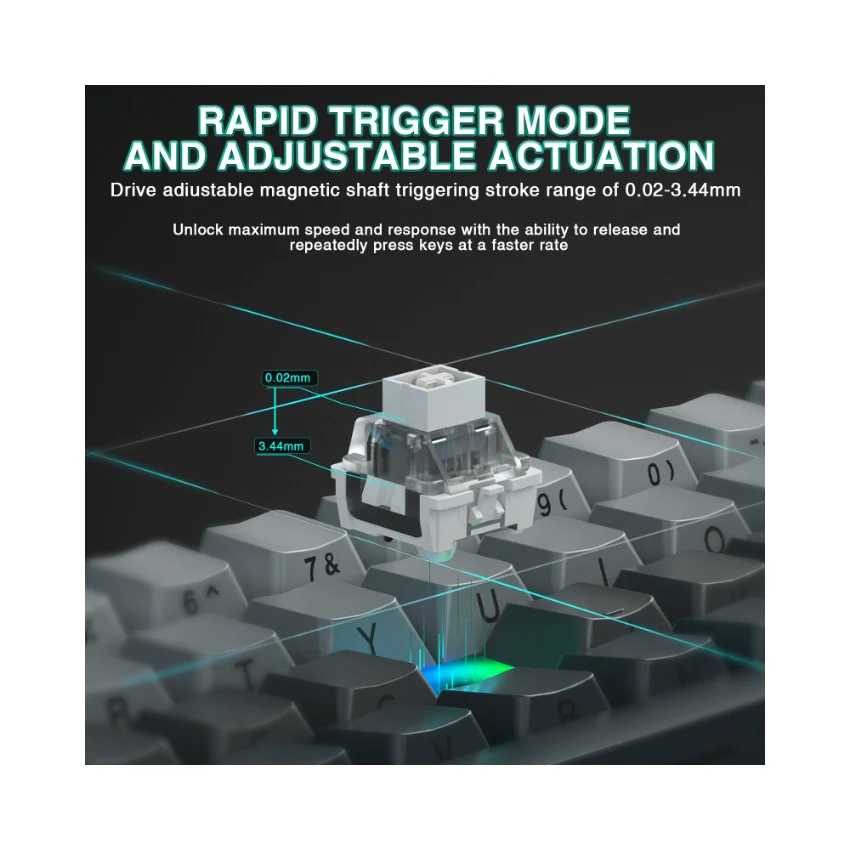
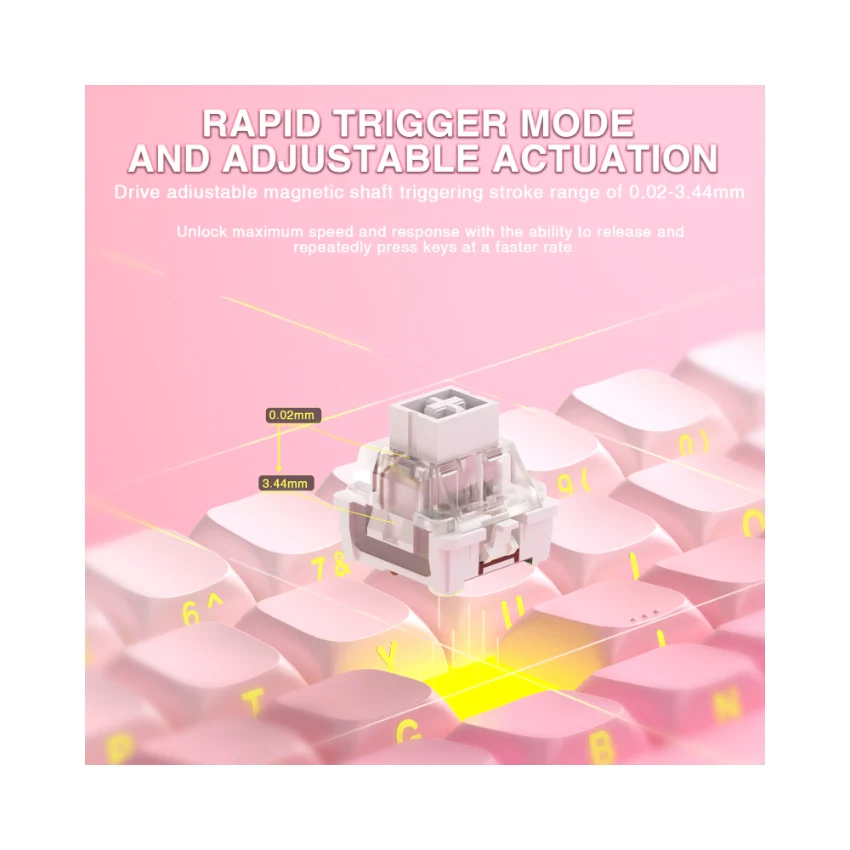
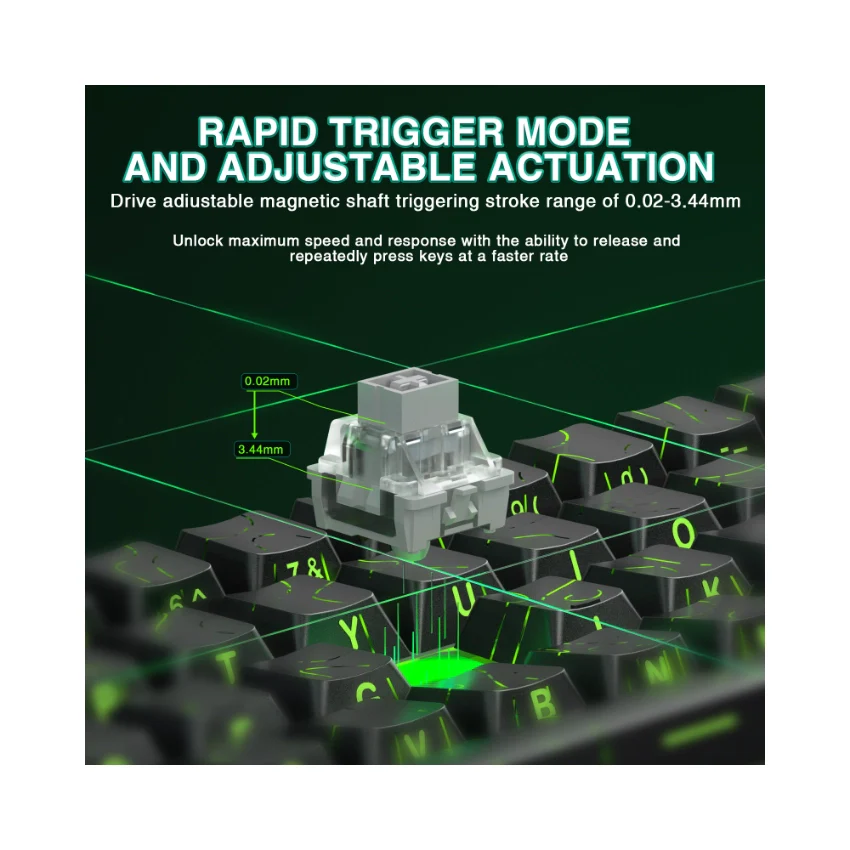
  • Adjustable Actuation Force: Customize the force required to activate a key according to your preferences. Whether you prefer a light touch or a firmer press, this feature caters to different user needs, making the AULA WIN60 HE highly versatile.
  • \n
  • Quiet Operation: Compared to traditional mechanical keyboards, the AULA WIN60 HE operates more quietly, providing a more comfortable typing experience ideal for both gaming and office environments.
  • \n
\n

Whether you're a gamer, a professional, or a daily user, the AULA WIN60 HE Hall Effect keyboard is an ideal choice to enhance your input experience. Say goodbye to the limitations of traditional keyboards and enjoy unprecedented precision, durability, and customization with the AULA WIN60 HE!

\n
\n
\n
\n
\n
\n\n
\n
    \n
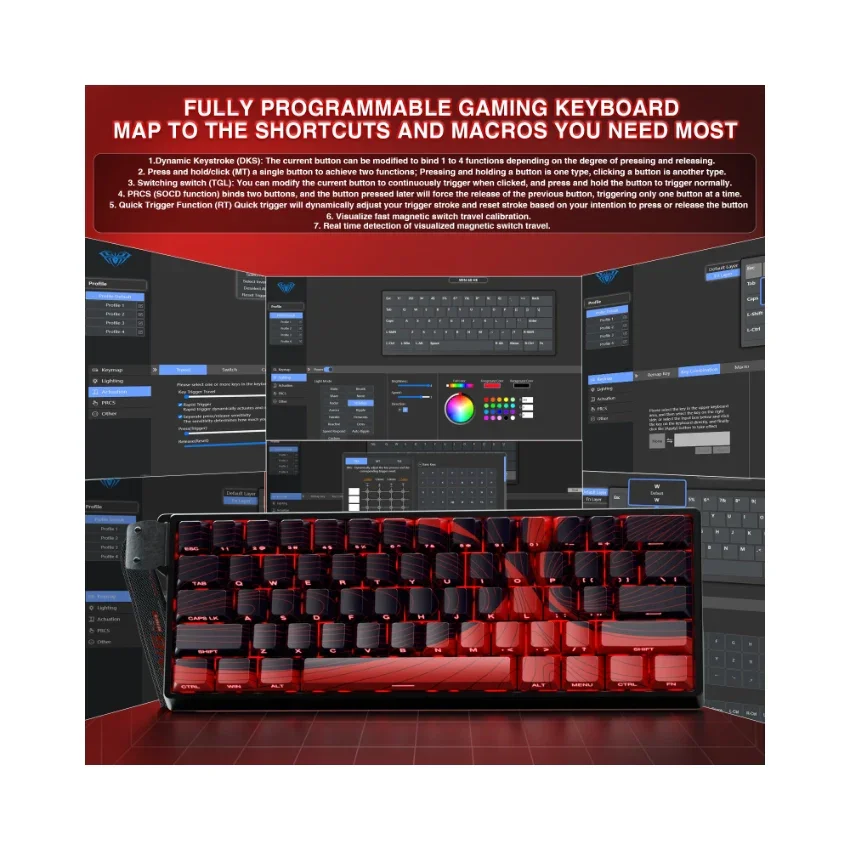
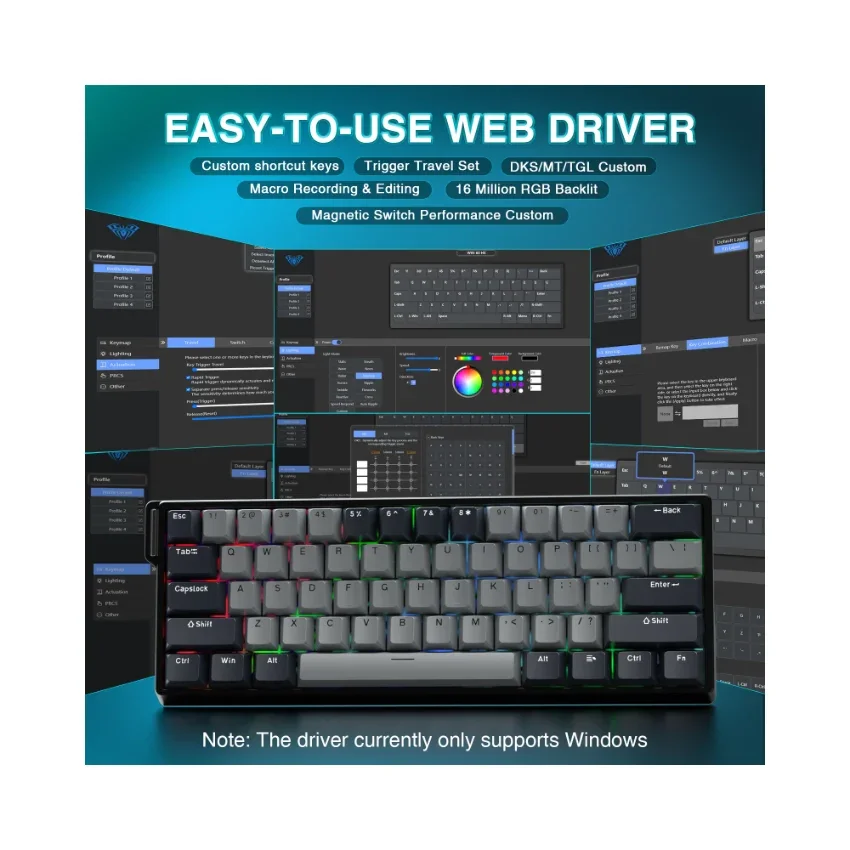
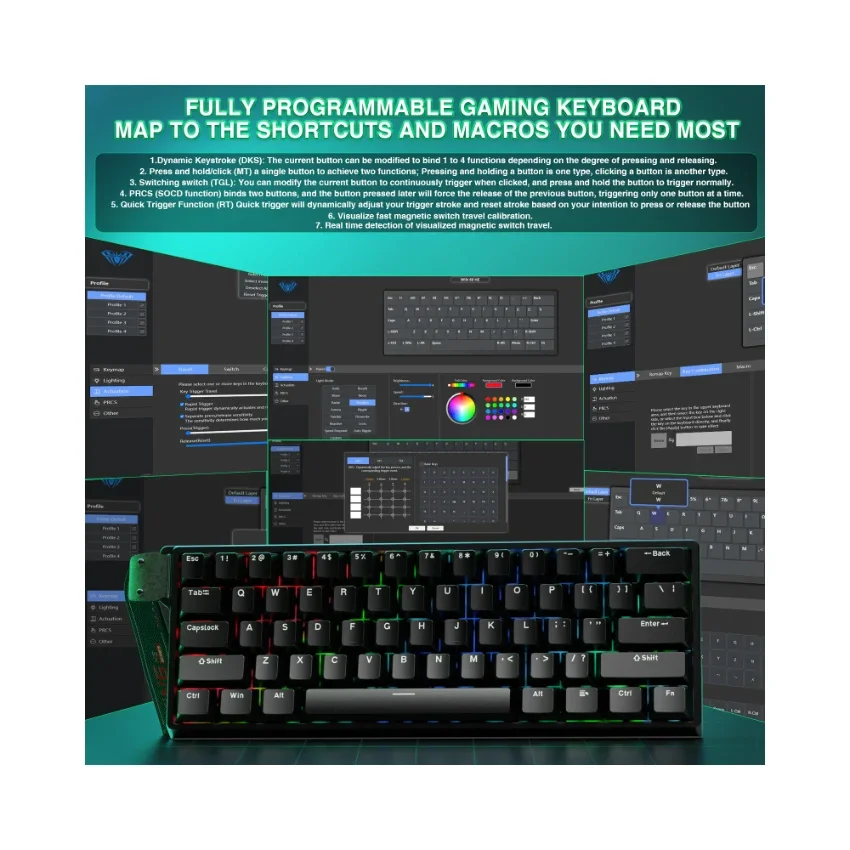
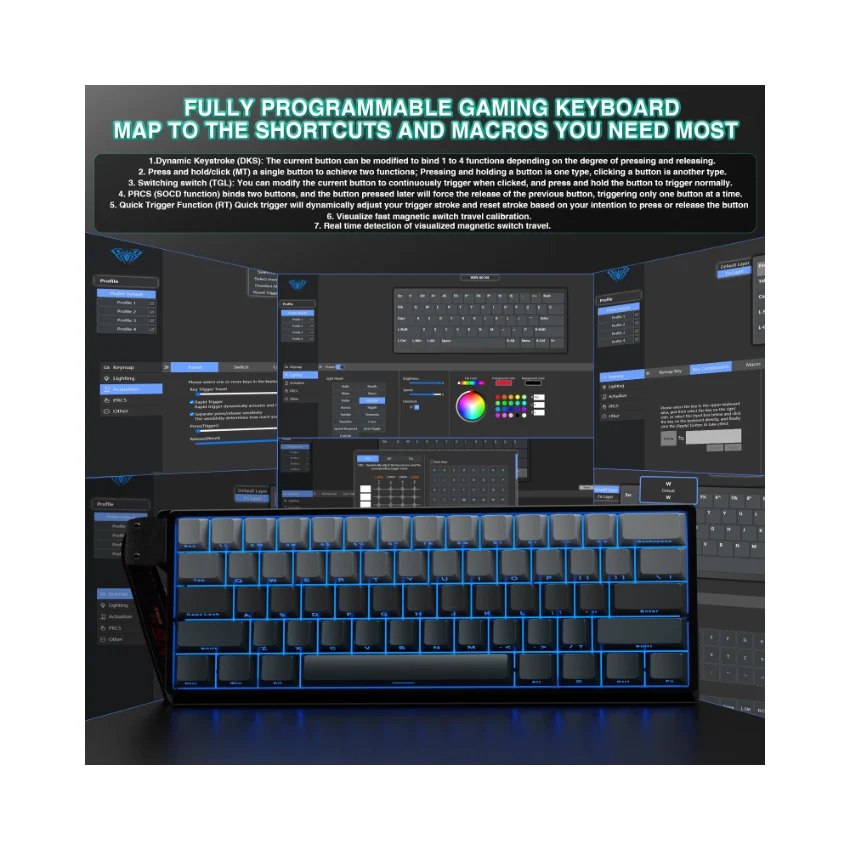
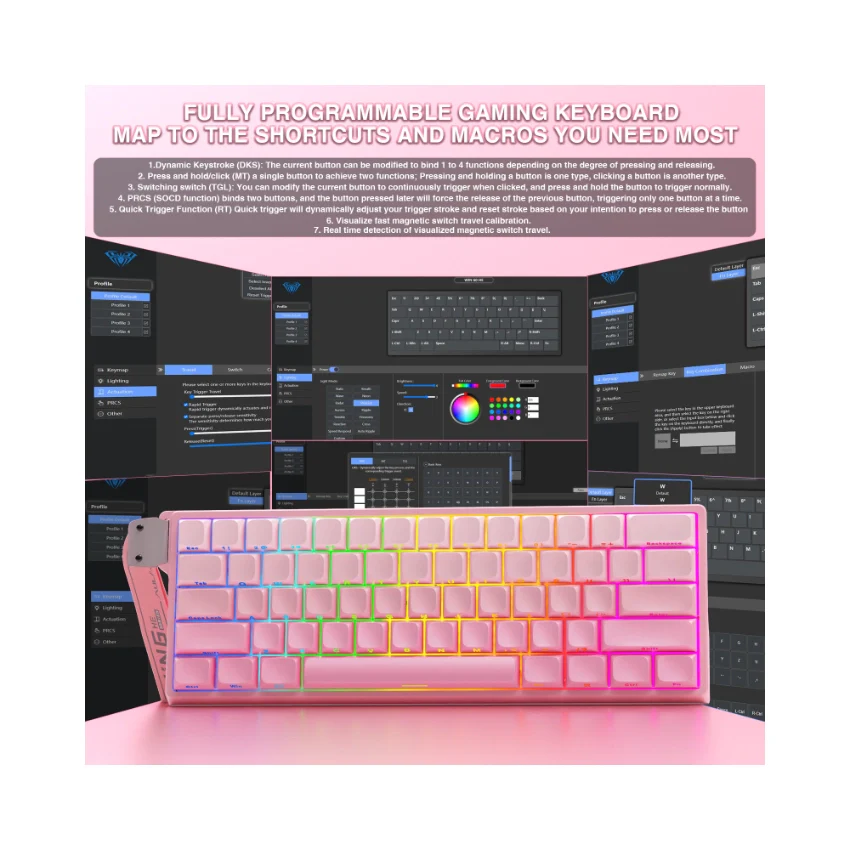
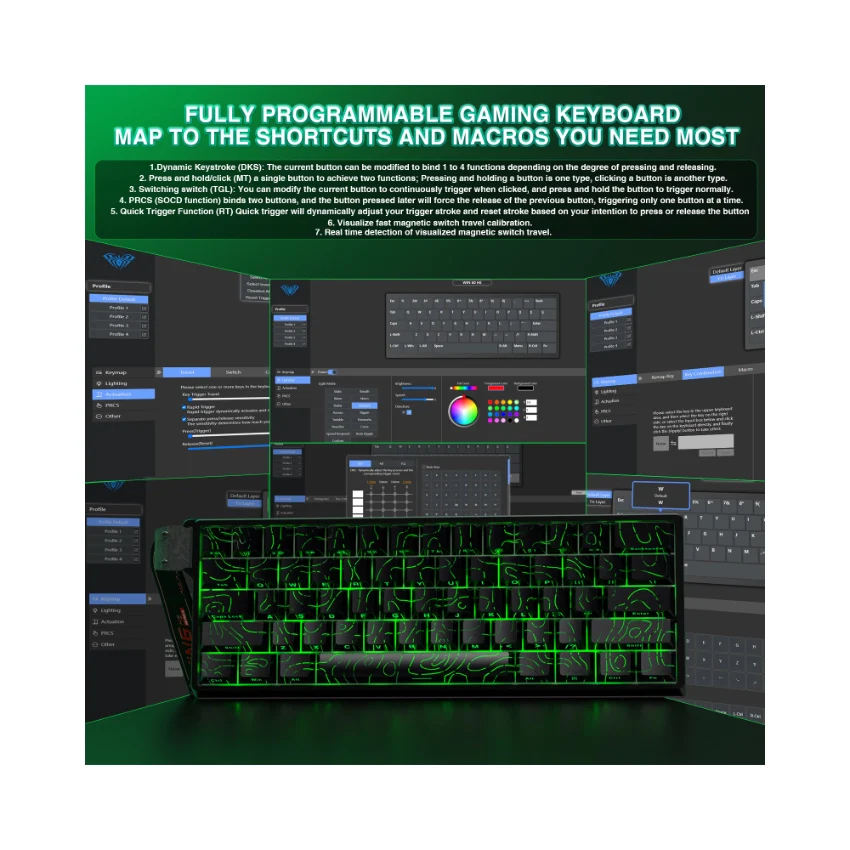
  • Dynamic Keystroke (DKS): The current key can be modified to bind 1 to 4 functions, depending on the degree of pressing and releasing.
  • \n
  • Press and Hold/Click (MT): A single key can perform two functions; pressing and holding the key performs one action, while clicking it performs another.
  • \n
  • Toggle Switch (TGL): You can modify the current key to continuously trigger when clicked, while pressing and holding the key triggers it normally.
  • \n
  • PRCS (SOCD Function): This binds two keys, where the key pressed later will force the release of the previously pressed key, ensuring only one key is triggered at a time.
  • \n
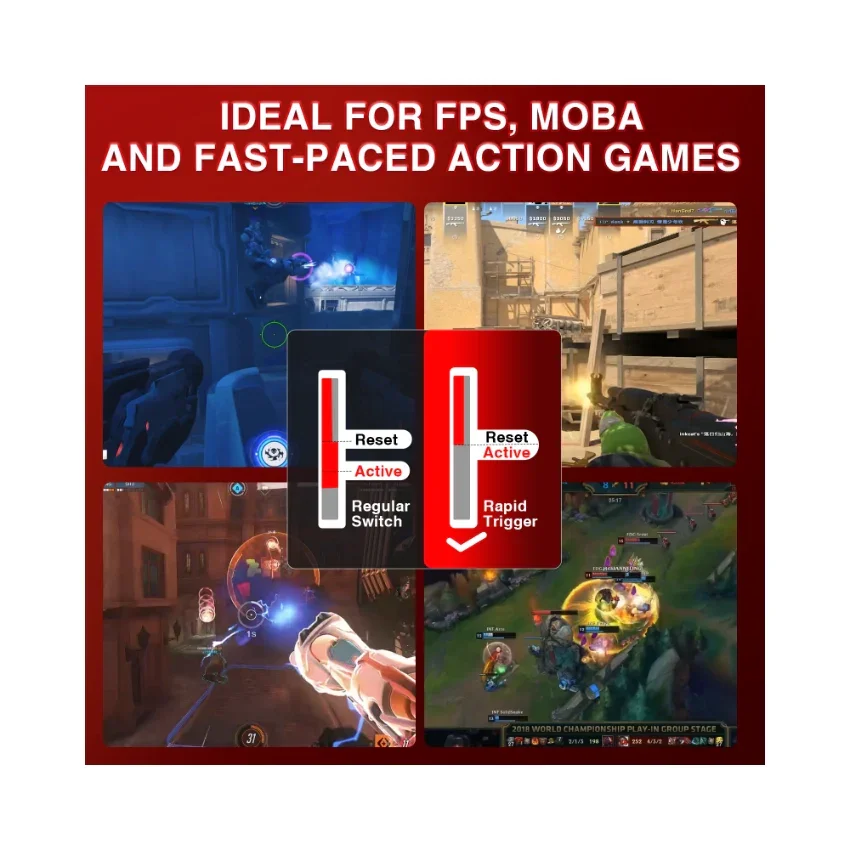
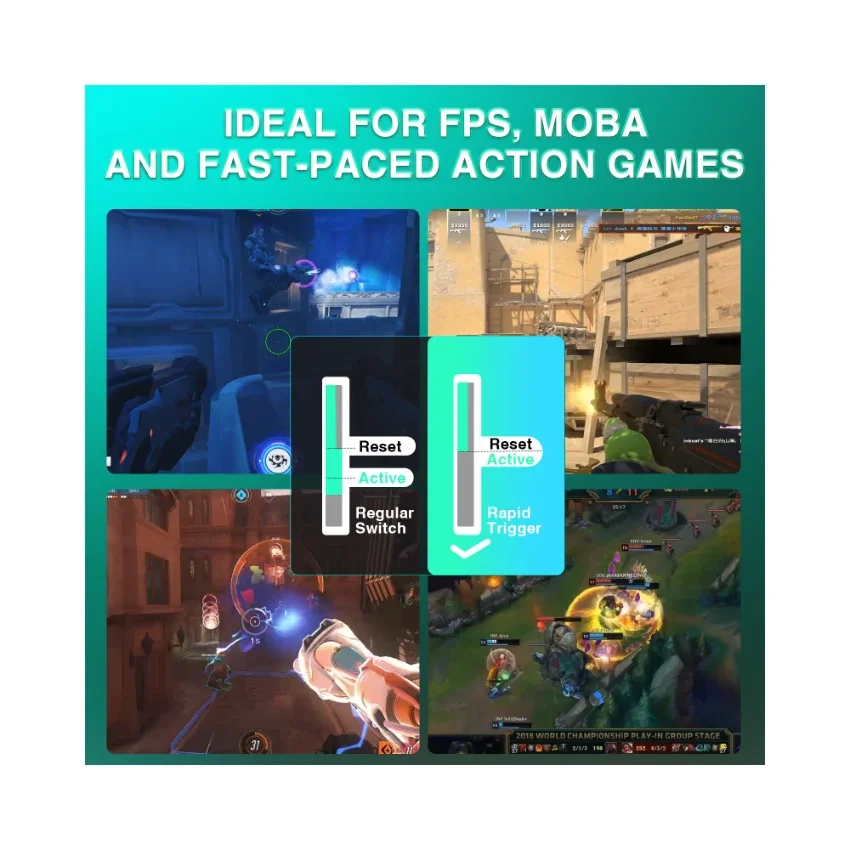
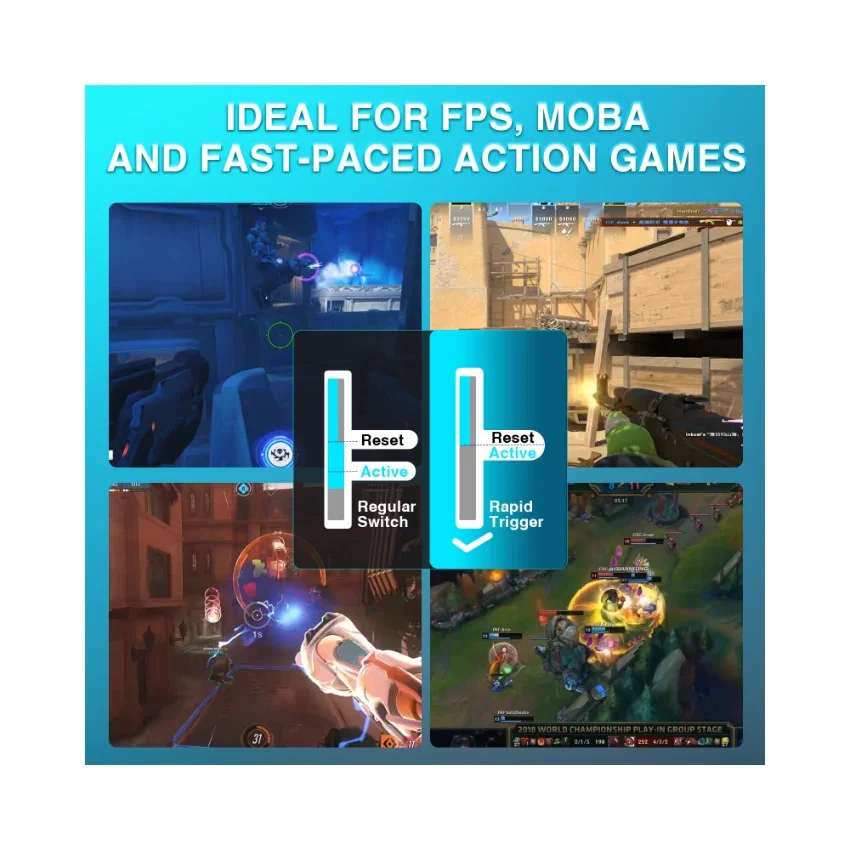
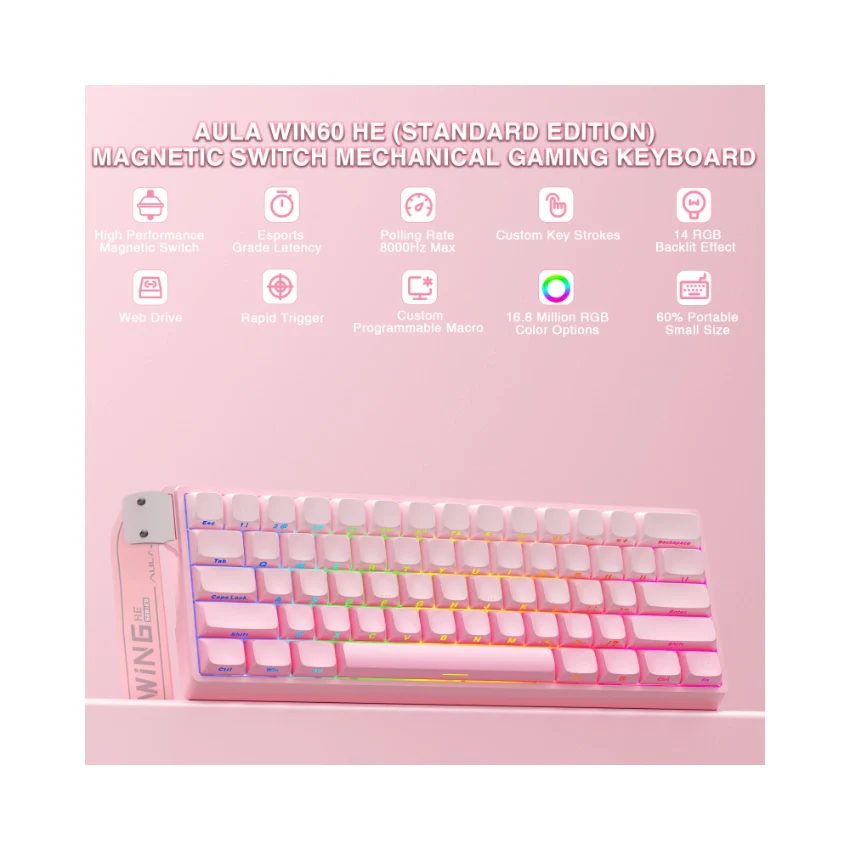
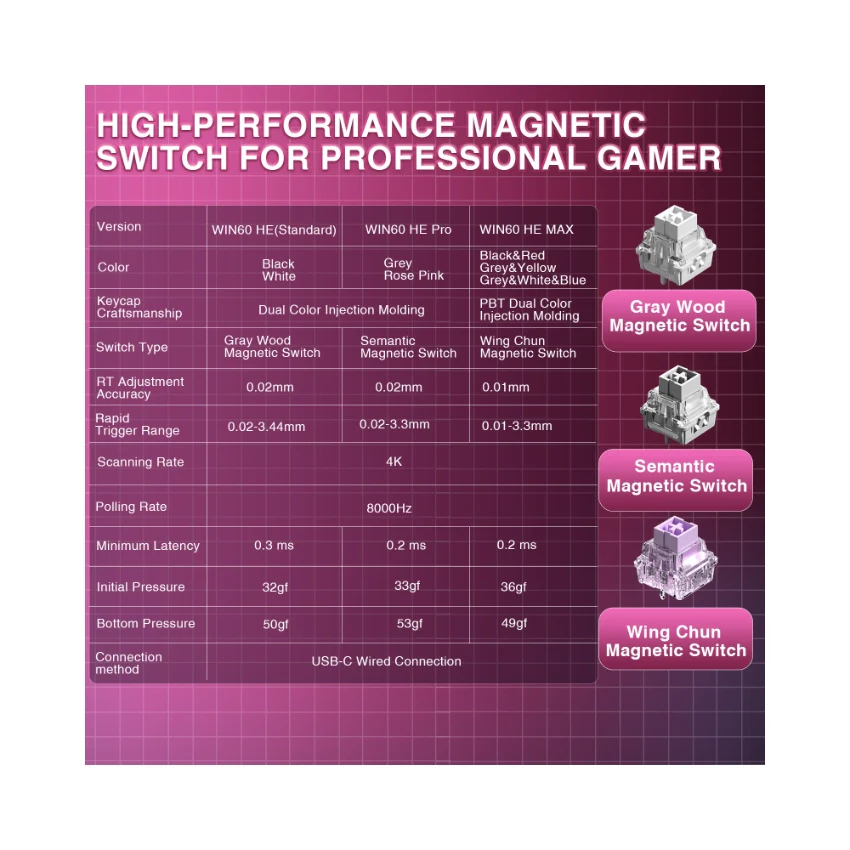
  • Quick Trigger Function (RT): The quick trigger dynamically adjusts the trigger stroke and reset stroke based on your intention to press or release the key.
  • \n
  • Visualize Fast Magnetic Switch Travel Calibration: This feature allows you to visually calibrate the travel distance of the magnetic switch.
  • \n
  • Real-Time Detection of Visualized Magnetic Switch Travel: This feature provides real-time visualization and detection of the magnetic switch's travel distance.
  • \n
\n
\n
\n
\n
\n

\n
\n
\n\n
\n
\n
\n
\n
\n\n
\n\n
\n
\n
\n
","image":["/images/lategaming.shop/images/product/aula-win60-he-1.webp","/images/lategaming.shop/images/product/aula-win60-he-2.webp","/images/lategaming.shop/images/product/aula-win60-he-3.webp","/images/lategaming.shop/images/product/aula-win60-he-4.webp","/images/lategaming.shop/images/product/aula-win60-he-5.webp","/images/lategaming.shop/images/product/aula-win60-he-6.webp","/images/lategaming.shop/images/product/aula-win60-he-7.webp","/images/lategaming.shop/images/product/aula-win60-he-8.webp","/images/lategaming.shop/images/product/aula-win60-he-9.webp","/images/lategaming.shop/images/product/aula-win60-he-10.webp","/images/lategaming.shop/images/product/aula-win60-he-11.webp","/images/lategaming.shop/images/product/aula-win60-he-12.webp","/images/lategaming.shop/images/product/aula-win60-he-13.webp","/images/lategaming.shop/images/product/aula-win60-he-14.webp","/images/lategaming.shop/images/product/aula-win60-he-15.webp","/images/lategaming.shop/images/product/aula-win60-he-16.webp","/images/lategaming.shop/images/product/aula-win60-he-17.webp","/images/lategaming.shop/images/product/aula-win60-he-18.webp","/images/lategaming.shop/images/product/aula-win60-he-19.webp","/images/lategaming.shop/images/product/aula-win60-he-20.webp","/images/lategaming.shop/images/product/aula-win60-he-21.webp","/images/lategaming.shop/images/product/aula-win60-he-22.webp","/images/lategaming.shop/images/product/aula-win60-he-23.webp","/images/lategaming.shop/images/product/aula-win60-he-24.webp","/images/lategaming.shop/images/product/aula-win60-he-25.webp","/images/lategaming.shop/images/product/aula-win60-he-26.webp","/images/lategaming.shop/images/product/aula-win60-he-27.webp","/images/lategaming.shop/images/product/aula-win60-he-28.webp","/images/lategaming.shop/images/product/aula-win60-he-29.webp","/images/lategaming.shop/images/product/aula-win60-he-30.webp","/images/lategaming.shop/images/product/aula-win60-he-31.webp","/images/lategaming.shop/images/product/aula-win60-he-32.webp","/images/lategaming.shop/images/product/aula-win60-he-33.webp","/images/lategaming.shop/images/product/aula-win60-he-34.webp","/images/lategaming.shop/images/product/aula-win60-he-35.webp","/images/lategaming.shop/images/product/aula-win60-he-36.webp","/images/lategaming.shop/images/product/aula-win60-he-37.webp","/images/lategaming.shop/images/product/aula-win60-he-38.webp","/images/lategaming.shop/images/product/aula-win60-he-39.webp","/images/lategaming.shop/images/product/aula-win60-he-40.webp","/images/lategaming.shop/images/product/aula-win60-he-41.webp","/images/lategaming.shop/images/product/aula-win60-he-42.webp","/images/lategaming.shop/images/product/aula-win60-he-43.webp","/images/lategaming.shop/images/product/aula-win60-he-44.webp","/images/lategaming.shop/images/product/aula-win60-he-45.webp","/images/lategaming.shop/images/product/aula-win60-he-46.webp","/images/lategaming.shop/images/product/aula-win60-he-47.webp","/images/lategaming.shop/images/product/aula-win60-he-48.webp","/images/lategaming.shop/images/product/aula-win60-he-49.webp","/images/lategaming.shop/images/product/aula-win60-he-50.webp","/images/lategaming.shop/images/product/aula-win60-he-51.webp","/images/lategaming.shop/images/product/aula-win60-he-52.webp","/images/lategaming.shop/images/product/aula-win60-he-53.webp","/images/lategaming.shop/images/product/aula-win60-he-54.webp","/images/lategaming.shop/images/product/aula-win60-he-55.webp","/images/lategaming.shop/images/product/aula-win60-he-56.webp","/images/lategaming.shop/images/product/aula-win60-he-57.webp","/images/lategaming.shop/images/product/aula-win60-he-58.webp","/images/lategaming.shop/images/product/aula-win60-he-59.webp","/images/lategaming.shop/images/product/aula-win60-he-60.webp","/images/lategaming.shop/images/product/aula-win60-he-61.webp","/images/lategaming.shop/images/product/aula-win60-he-62.webp","/images/lategaming.shop/images/product/aula-win60-he-63.webp","/images/lategaming.shop/images/product/aula-win60-he-64.webp","/images/lategaming.shop/images/product/aula-win60-he-65.webp","/images/lategaming.shop/images/product/aula-win60-he-66.webp","/images/lategaming.shop/images/product/aula-win60-he-67.webp","/images/lategaming.shop/images/product/aula-win60-he-68.webp","/images/lategaming.shop/images/product/aula-win60-he-69.webp","/images/lategaming.shop/images/product/aula-win60-he-70.webp","/images/lategaming.shop/images/product/aula-win60-he-71.webp","/images/lategaming.shop/images/product/aula-win60-he-72.webp","/images/lategaming.shop/images/product/aula-win60-he-73.webp","/images/lategaming.shop/images/product/aula-win60-he-74.png","/images/lategaming.shop/images/product/aula-win60-he-75.webp","/images/lategaming.shop/images/product/aula-win60-he-76.webp","/images/lategaming.shop/images/product/aula-win60-he-77.webp","/images/lategaming.shop/images/product/aula-win60-he-78.webp","/images/lategaming.shop/images/product/aula-win60-he-79.webp","/images/lategaming.shop/images/product/aula-win60-he-80.webp","/images/lategaming.shop/images/product/aula-win60-he-81.webp","/images/lategaming.shop/images/product/aula-win60-he-82.webp"],"sku":"aula-win60-he","brand":{"@type":"Brand","name":"AULA Official Shop"},"offers":{"@type":"AggregateOffer","lowPrice":11.67,"highPrice":16.47,"priceCurrency":"USD","availability":"https://schema.org/InStock","url":"https://lategaming.shop/products/aula-win60-he","offerCount":11}}
AULA WIN60 HE Wired Magnetic Keyboard
HomeStore

AULA WIN60 HE Wired Magnetic Keyboard

AULA WIN60 HE Wired Magnetic Keyboard

Select color
Select switch
From $11.67

Original: $38.90

-70%
AULA WIN60 HE Wired Magnetic Keyboard—

$38.90

$11.67

The Story


Product Description

AULA Online Driver (Chrome)


How to Connect Software

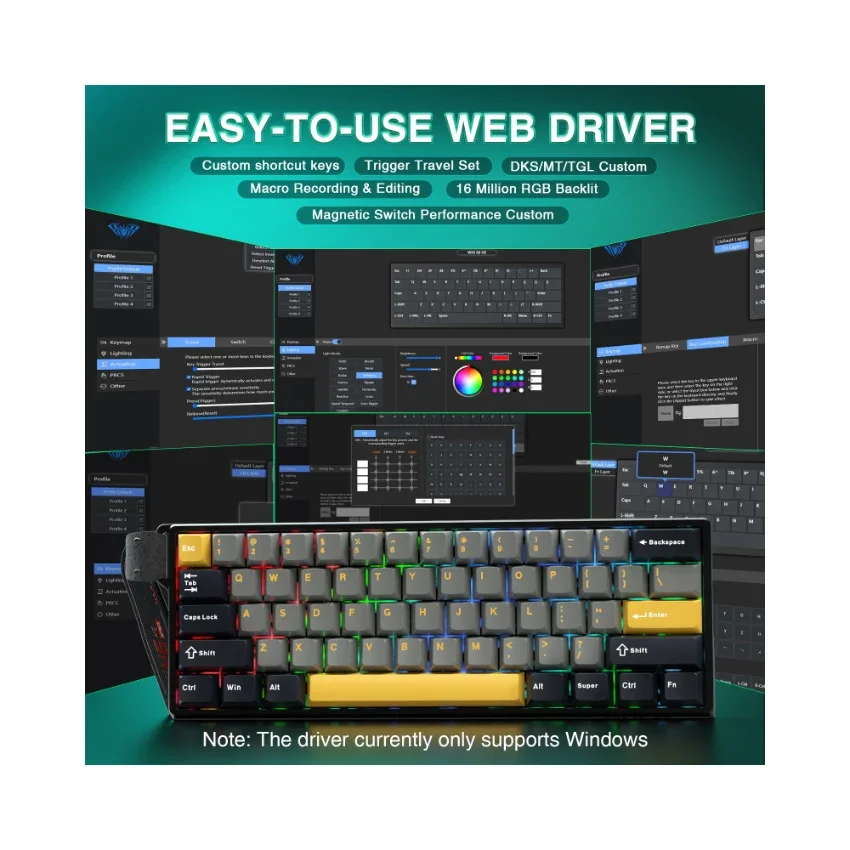
  1. Visit the official "AULA" website.
  2. Navigate to the "Downloads" page, then click on "Driver."
  3. Locate the link for the "WIN60 Magnetic Switch Keyboard Website Driver" and select the "Standard Edition."
  4. Click "Allow browser access," choose your device from the list, and then click to connect.

The video showcases the product in use.The video guides you through product setup.The video compares multiple products.The video shows the product being unpacked.

AULA WIN60 HE Online Drive

Merchant Video
hall effect keyboard

mad 60 he

AULA WIN60 HE Hall Effect Keyboard-The Perfect Blend of Precision and Durability

What is the Hall Effect?

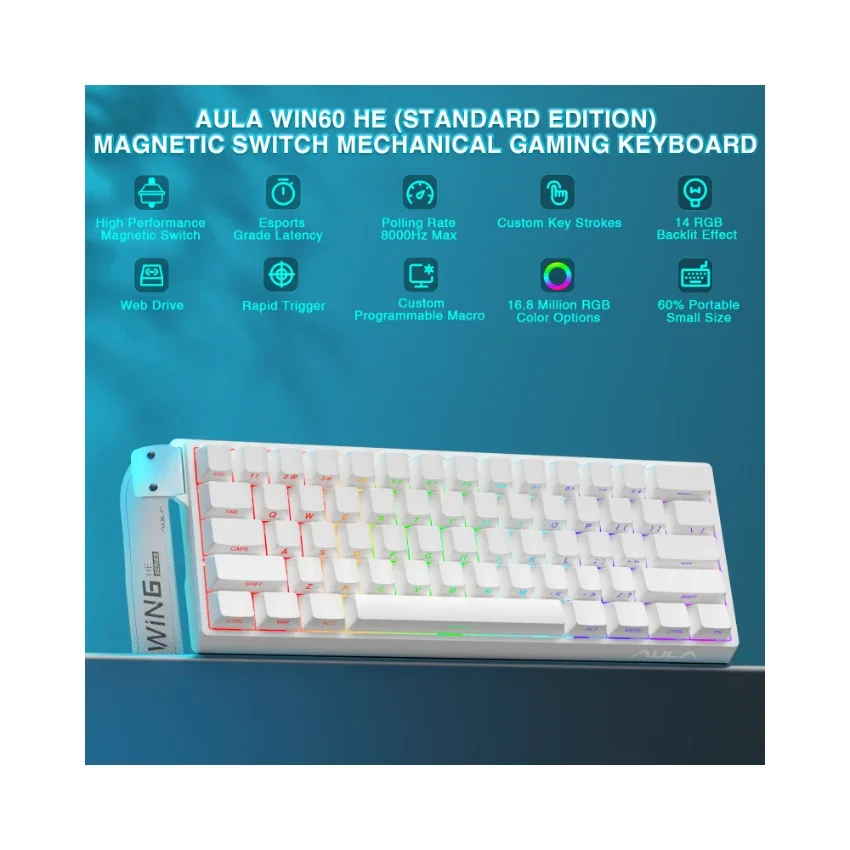
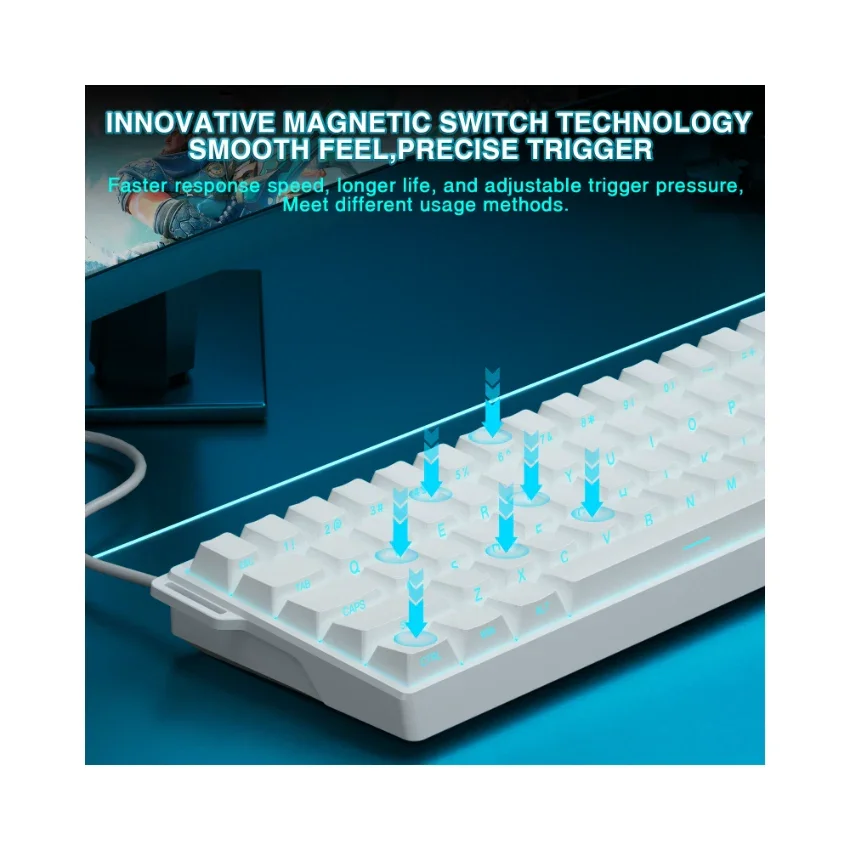
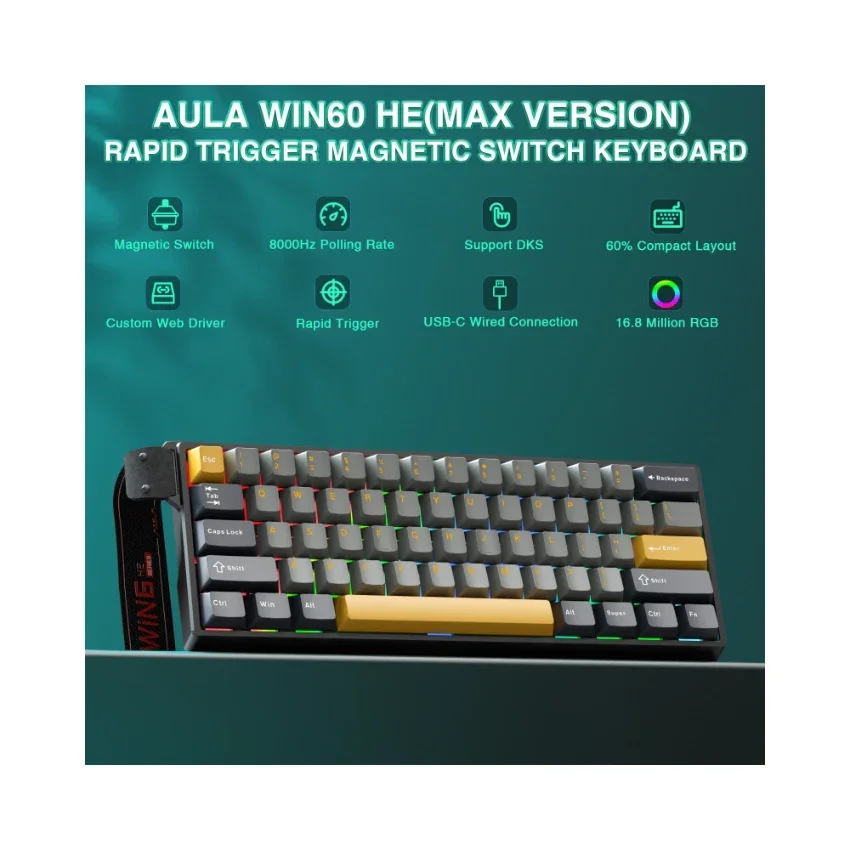
The Hall Effect is a physical phenomenon that allows our keyboard, like the AULA WIN60 HE, to detect whether a key has been pressed by sensing changes in the position of a tiny magnet beneath each key, rather than relying on traditional mechanical contact. This means every keystroke can be recognized with exceptional precision, while also avoiding the wear and tear issues common to traditional switches over time.

Why Choose the AULA WIN60 HE Hall Effect Keyboard?

Ā 

  • Unmatched Precision: With Hall Effect technology, the AULA WIN60 HE offers unparalleled accuracy, ensuring that every keystroke is registered correctly. It's perfect for gaming or tasks requiring rapid responses and fine control.
  • Extended Lifespan: Thanks to its innovative design without physical contact points, the AULA WIN60 HE is virtually immune to wear from use, ensuring long-term stability and reliability.
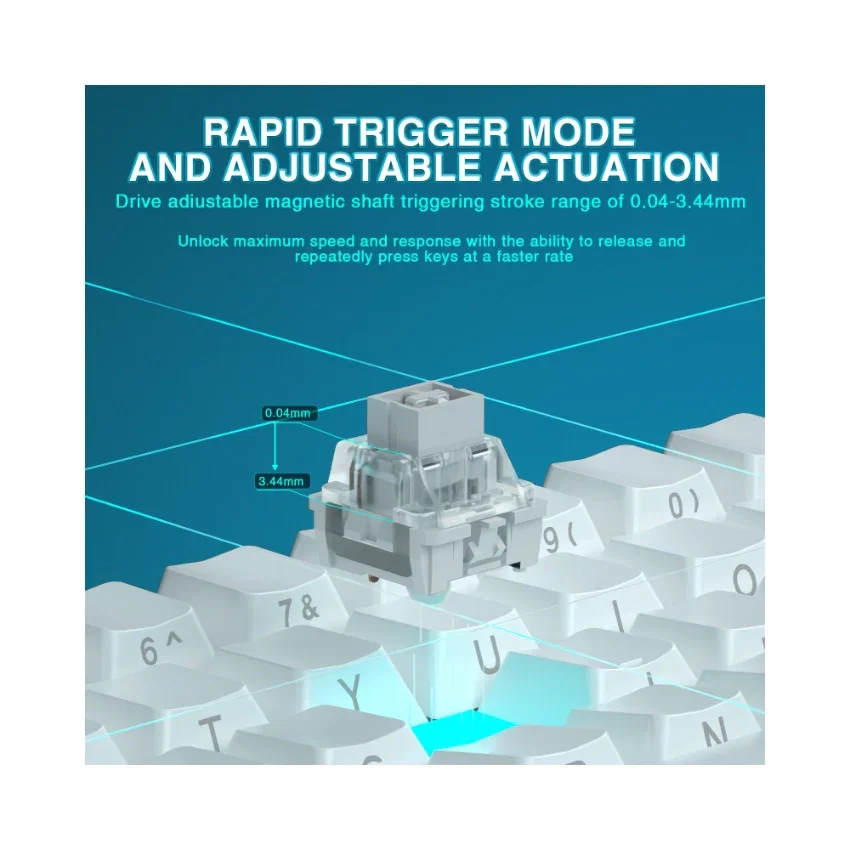
  • Adjustable Actuation Force: Customize the force required to activate a key according to your preferences. Whether you prefer a light touch or a firmer press, this feature caters to different user needs, making the AULA WIN60 HE highly versatile.
  • Quiet Operation: Compared to traditional mechanical keyboards, the AULA WIN60 HE operates more quietly, providing a more comfortable typing experience ideal for both gaming and office environments.

Whether you're a gamer, a professional, or a daily user, the AULA WIN60 HE Hall Effect keyboard is an ideal choice to enhance your input experience. Say goodbye to the limitations of traditional keyboards and enjoy unprecedented precision, durability, and customization with the AULA WIN60 HE!

  • Dynamic Keystroke (DKS): The current key can be modified to bind 1 to 4 functions, depending on the degree of pressing and releasing.
  • Press and Hold/Click (MT): A single key can perform two functions; pressing and holding the key performs one action, while clicking it performs another.
  • Toggle Switch (TGL): You can modify the current key to continuously trigger when clicked, while pressing and holding the key triggers it normally.
  • PRCS (SOCD Function): This binds two keys, where the key pressed later will force the release of the previously pressed key, ensuring only one key is triggered at a time.
  • Quick Trigger Function (RT): The quick trigger dynamically adjusts the trigger stroke and reset stroke based on your intention to press or release the key.
  • Visualize Fast Magnetic Switch Travel Calibration: This feature allows you to visually calibrate the travel distance of the magnetic switch.
  • Real-Time Detection of Visualized Magnetic Switch Travel: This feature provides real-time visualization and detection of the magnetic switch's travel distance.

AULA WIN60 HE Wired Magnetic Keyboard - Image 2

Details & Craftsmanship

Every detail has been carefully considered to bring you the perfect product.
AULA WIN60 HE Wired Magnetic Keyboard - Image 3

Details & Craftsmanship

Every detail has been carefully considered to bring you the perfect product.
AULA WIN60 HE Wired Magnetic Keyboard - Image 4

Details & Craftsmanship

Every detail has been carefully considered to bring you the perfect product.
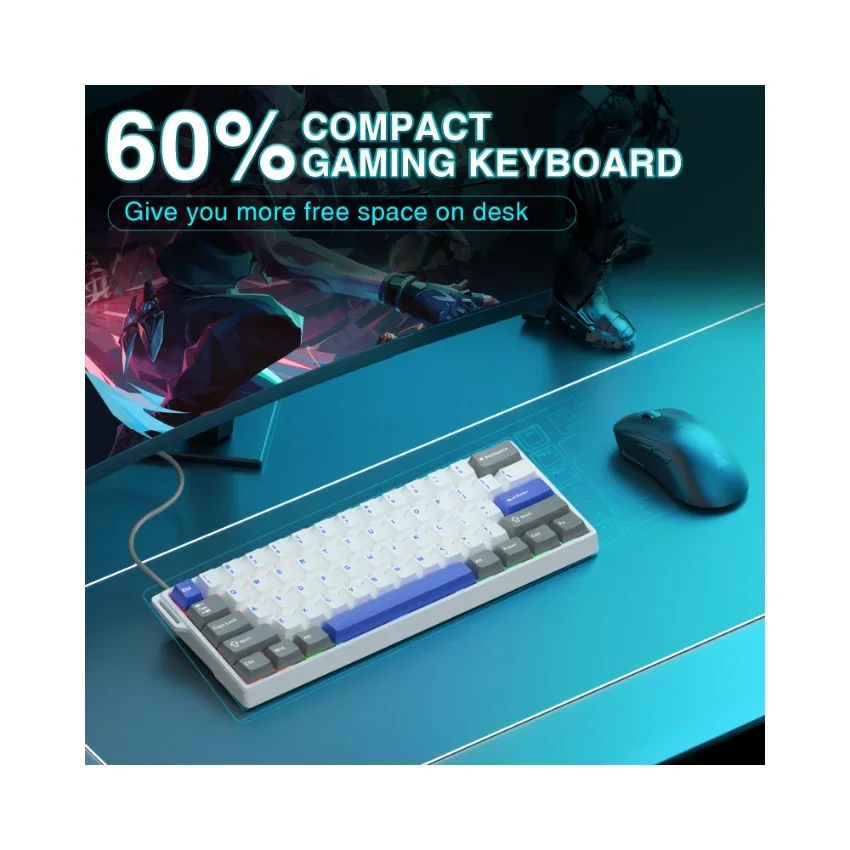
AULA WIN60 HE Wired Magnetic Keyboard - Image 5

Details & Craftsmanship

Every detail has been carefully considered to bring you the perfect product.
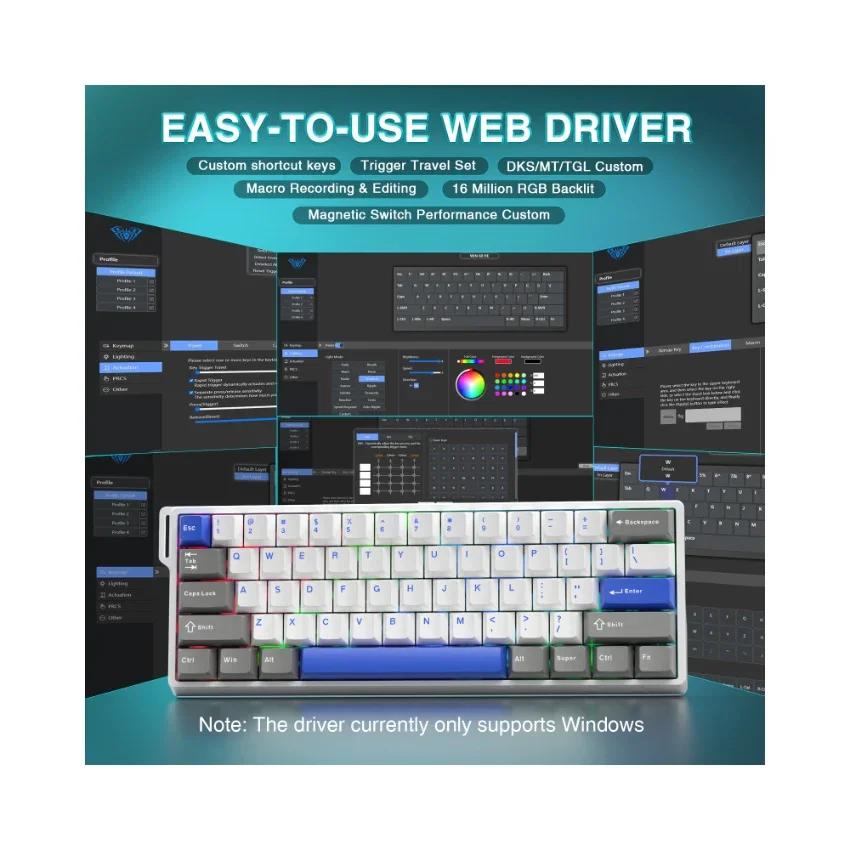
AULA WIN60 HE Wired Magnetic Keyboard - Image 6

Details & Craftsmanship

Every detail has been carefully considered to bring you the perfect product.
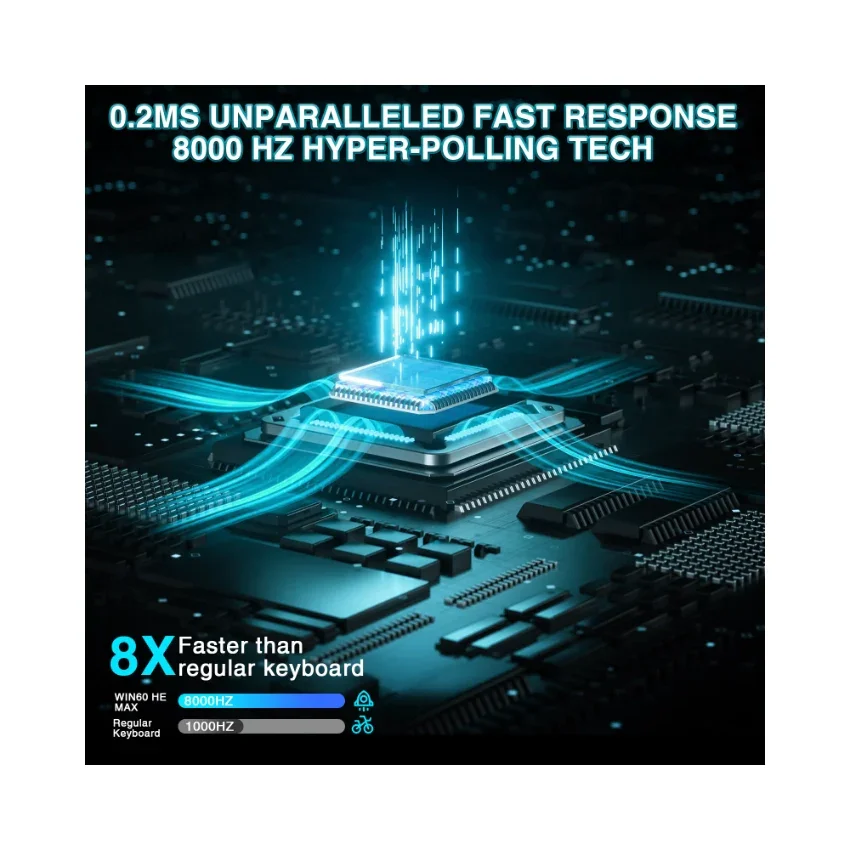
AULA WIN60 HE Wired Magnetic Keyboard - Image 7

Details & Craftsmanship

Every detail has been carefully considered to bring you the perfect product.

AULA WIN60 HE Wired Magnetic Keyboard - Image 8

Details & Craftsmanship

Every detail has been carefully considered to bring you the perfect product.
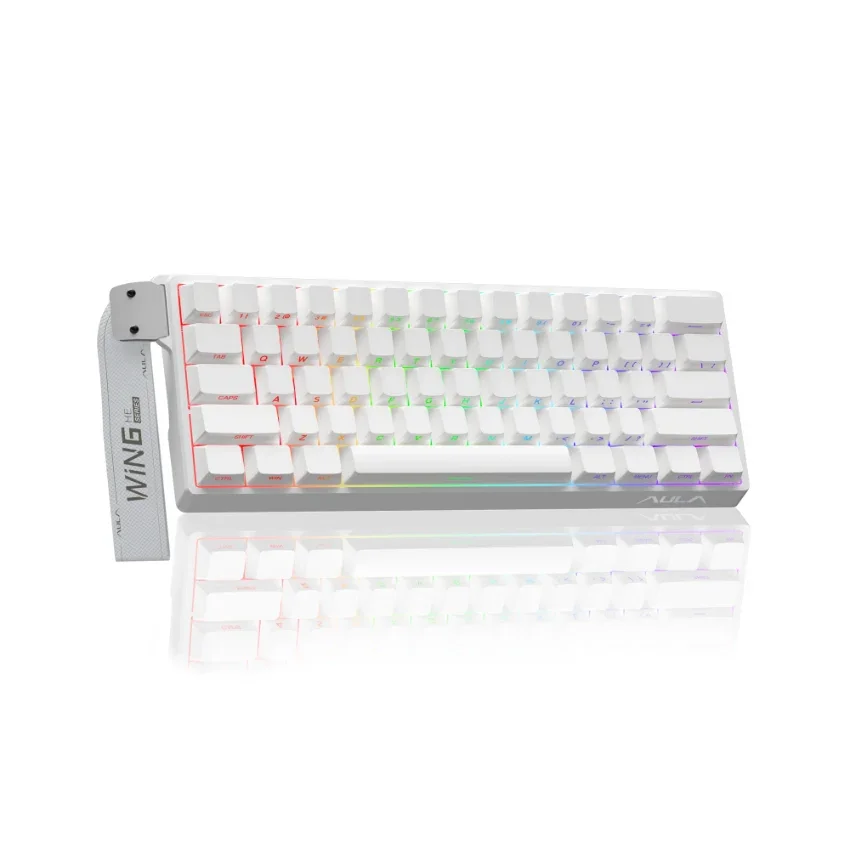
AULA WIN60 HE Wired Magnetic Keyboard - Image 9

Details & Craftsmanship

Every detail has been carefully considered to bring you the perfect product.
AULA WIN60 HE Wired Magnetic Keyboard - Image 10

Details & Craftsmanship

Every detail has been carefully considered to bring you the perfect product.
AULA WIN60 HE Wired Magnetic Keyboard - Image 11

Details & Craftsmanship

Every detail has been carefully considered to bring you the perfect product.
AULA WIN60 HE Wired Magnetic Keyboard - Image 12

Details & Craftsmanship

Every detail has been carefully considered to bring you the perfect product.
AULA WIN60 HE Wired Magnetic Keyboard - Image 13

Details & Craftsmanship

Every detail has been carefully considered to bring you the perfect product.

AULA WIN60 HE Wired Magnetic Keyboard - Image 14

Details & Craftsmanship

Every detail has been carefully considered to bring you the perfect product.
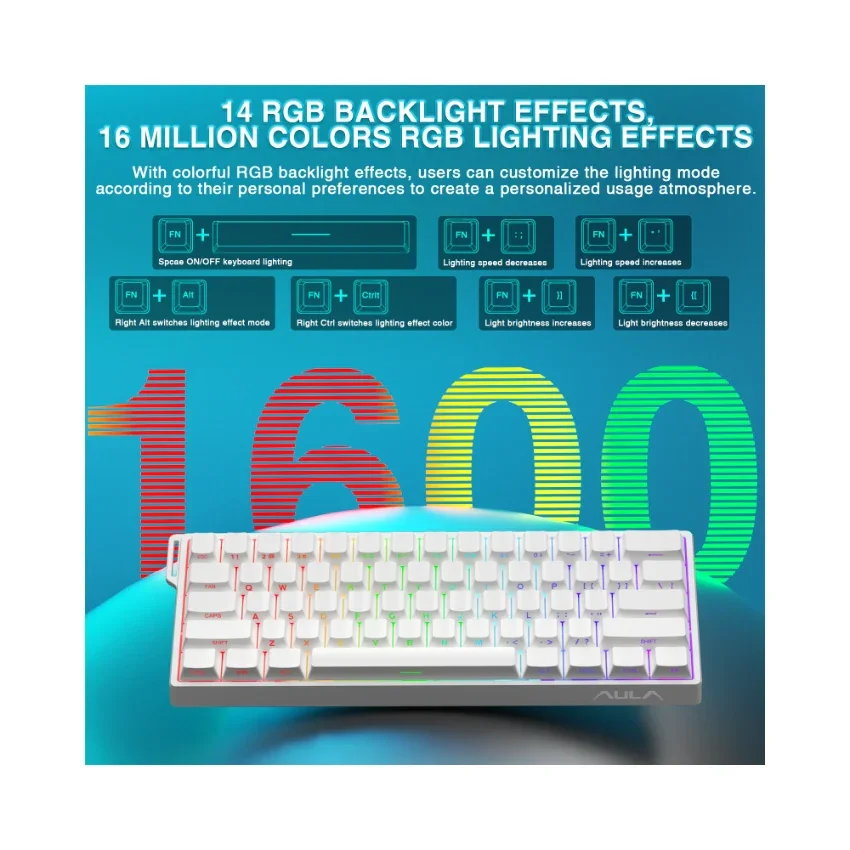
AULA WIN60 HE Wired Magnetic Keyboard - Image 15

Details & Craftsmanship

Every detail has been carefully considered to bring you the perfect product.

AULA WIN60 HE Wired Magnetic Keyboard - Image 16

Details & Craftsmanship

Every detail has been carefully considered to bring you the perfect product.
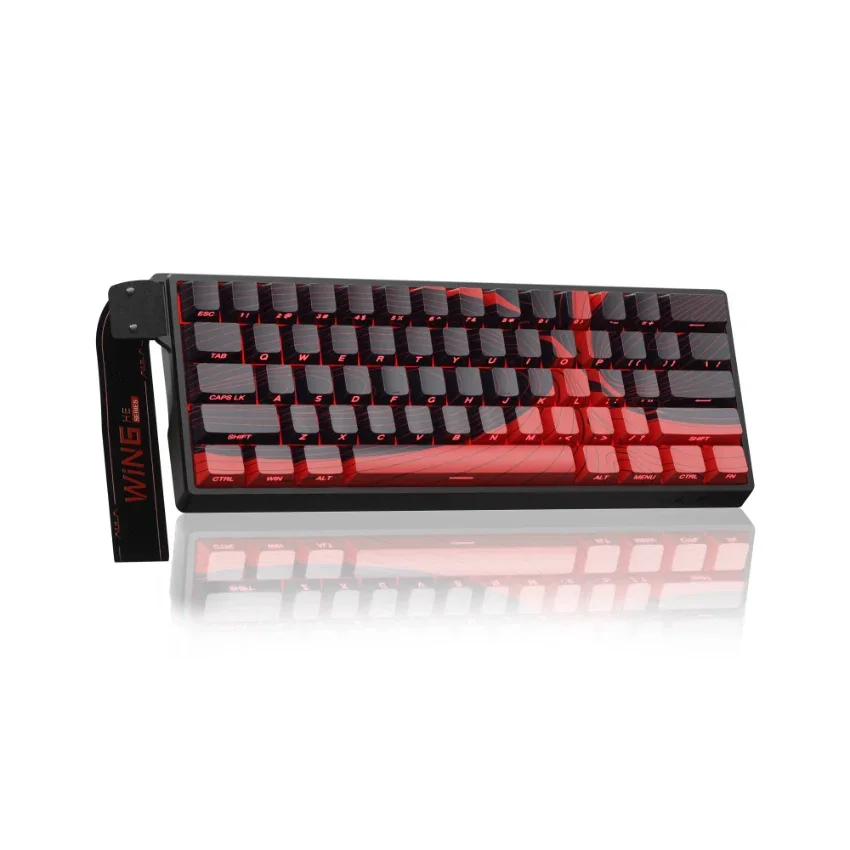
AULA WIN60 HE Wired Magnetic Keyboard - Image 17

Details & Craftsmanship

Every detail has been carefully considered to bring you the perfect product.
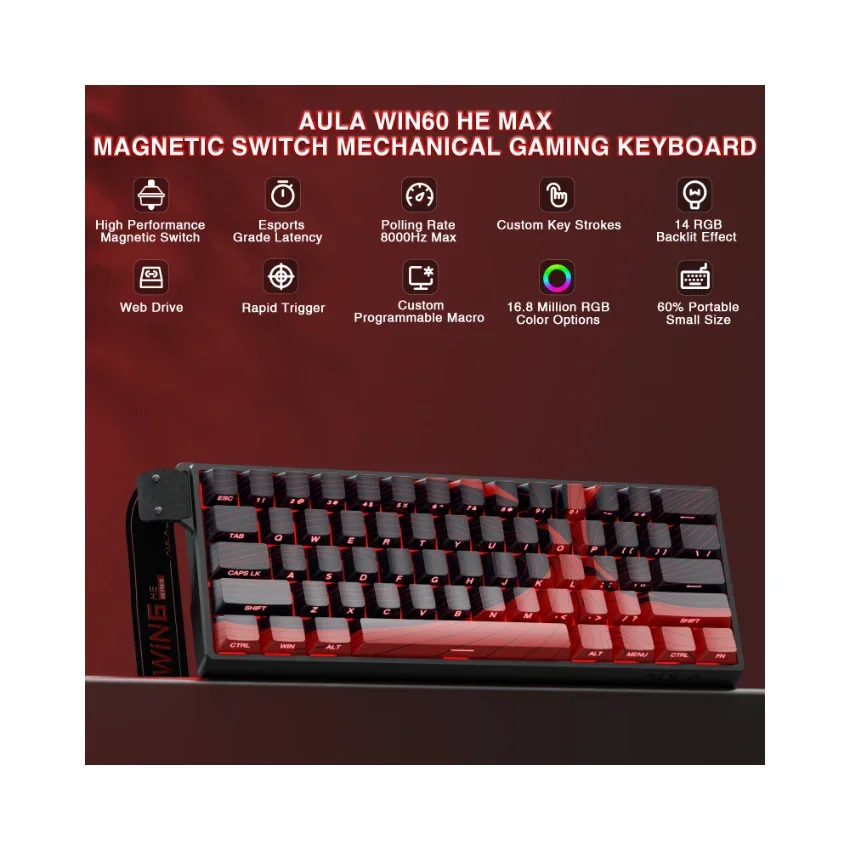
AULA WIN60 HE Wired Magnetic Keyboard - Image 18

Details & Craftsmanship

Every detail has been carefully considered to bring you the perfect product.

AULA WIN60 HE Wired Magnetic Keyboard - Image 19

Details & Craftsmanship

Every detail has been carefully considered to bring you the perfect product.
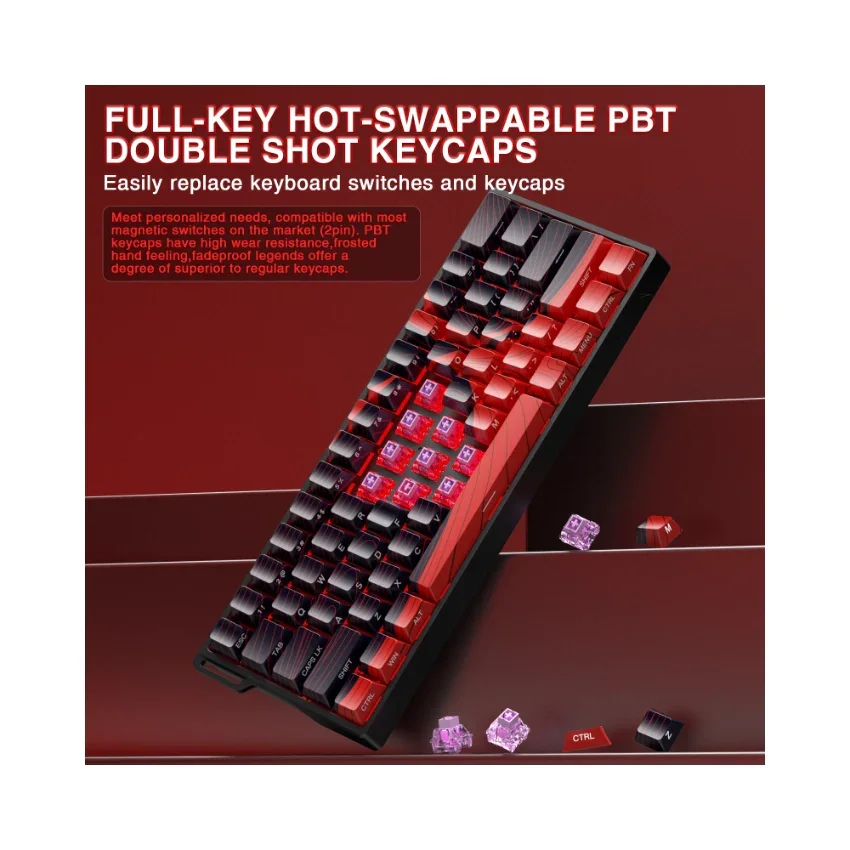
AULA WIN60 HE Wired Magnetic Keyboard - Image 20

Details & Craftsmanship

Every detail has been carefully considered to bring you the perfect product.
AULA WIN60 HE Wired Magnetic Keyboard - Image 21

Details & Craftsmanship

Every detail has been carefully considered to bring you the perfect product.
AULA WIN60 HE Wired Magnetic Keyboard - Image 22

Details & Craftsmanship

Every detail has been carefully considered to bring you the perfect product.

AULA WIN60 HE Wired Magnetic Keyboard - Image 23

Details & Craftsmanship

Every detail has been carefully considered to bring you the perfect product.
AULA WIN60 HE Wired Magnetic Keyboard - Image 24

Details & Craftsmanship

Every detail has been carefully considered to bring you the perfect product.
AULA WIN60 HE Wired Magnetic Keyboard - Image 25

Details & Craftsmanship

Every detail has been carefully considered to bring you the perfect product.
AULA WIN60 HE Wired Magnetic Keyboard - Image 26

Details & Craftsmanship

Every detail has been carefully considered to bring you the perfect product.
AULA WIN60 HE Wired Magnetic Keyboard - Image 27

Details & Craftsmanship

Every detail has been carefully considered to bring you the perfect product.

AULA WIN60 HE Wired Magnetic Keyboard - Image 28

Details & Craftsmanship

Every detail has been carefully considered to bring you the perfect product.
AULA WIN60 HE Wired Magnetic Keyboard - Image 29

Details & Craftsmanship

Every detail has been carefully considered to bring you the perfect product.
AULA WIN60 HE Wired Magnetic Keyboard - Image 30

Details & Craftsmanship

Every detail has been carefully considered to bring you the perfect product.

AULA WIN60 HE Wired Magnetic Keyboard - Image 31

Details & Craftsmanship

Every detail has been carefully considered to bring you the perfect product.
AULA WIN60 HE Wired Magnetic Keyboard - Image 32

Details & Craftsmanship

Every detail has been carefully considered to bring you the perfect product.
AULA WIN60 HE Wired Magnetic Keyboard - Image 33

Details & Craftsmanship

Every detail has been carefully considered to bring you the perfect product.

AULA WIN60 HE Wired Magnetic Keyboard - Image 34

Details & Craftsmanship

Every detail has been carefully considered to bring you the perfect product.
AULA WIN60 HE Wired Magnetic Keyboard - Image 35

Details & Craftsmanship

Every detail has been carefully considered to bring you the perfect product.
AULA WIN60 HE Wired Magnetic Keyboard - Image 36

Details & Craftsmanship

Every detail has been carefully considered to bring you the perfect product.
AULA WIN60 HE Wired Magnetic Keyboard - Image 37

Details & Craftsmanship

Every detail has been carefully considered to bring you the perfect product.

AULA WIN60 HE Wired Magnetic Keyboard - Image 38

Details & Craftsmanship

Every detail has been carefully considered to bring you the perfect product.
AULA WIN60 HE Wired Magnetic Keyboard - Image 39

Details & Craftsmanship

Every detail has been carefully considered to bring you the perfect product.
AULA WIN60 HE Wired Magnetic Keyboard - Image 40

Details & Craftsmanship

Every detail has been carefully considered to bring you the perfect product.
AULA WIN60 HE Wired Magnetic Keyboard - Image 41

Details & Craftsmanship

Every detail has been carefully considered to bring you the perfect product.
AULA WIN60 HE Wired Magnetic Keyboard - Image 42

Details & Craftsmanship

Every detail has been carefully considered to bring you the perfect product.

AULA WIN60 HE Wired Magnetic Keyboard - Image 43

Details & Craftsmanship

Every detail has been carefully considered to bring you the perfect product.

AULA WIN60 HE Wired Magnetic Keyboard - Image 44

Details & Craftsmanship

Every detail has been carefully considered to bring you the perfect product.
AULA WIN60 HE Wired Magnetic Keyboard - Image 45

Details & Craftsmanship

Every detail has been carefully considered to bring you the perfect product.
AULA WIN60 HE Wired Magnetic Keyboard - Image 46

Details & Craftsmanship

Every detail has been carefully considered to bring you the perfect product.
AULA WIN60 HE Wired Magnetic Keyboard - Image 47

Details & Craftsmanship

Every detail has been carefully considered to bring you the perfect product.
AULA WIN60 HE Wired Magnetic Keyboard - Image 48

Details & Craftsmanship

Every detail has been carefully considered to bring you the perfect product.

AULA WIN60 HE Wired Magnetic Keyboard - Image 49

Details & Craftsmanship

Every detail has been carefully considered to bring you the perfect product.
AULA WIN60 HE Wired Magnetic Keyboard - Image 50

Details & Craftsmanship

Every detail has been carefully considered to bring you the perfect product.
AULA WIN60 HE Wired Magnetic Keyboard - Image 51

Details & Craftsmanship

Every detail has been carefully considered to bring you the perfect product.

AULA WIN60 HE Wired Magnetic Keyboard - Image 52

Details & Craftsmanship

Every detail has been carefully considered to bring you the perfect product.
AULA WIN60 HE Wired Magnetic Keyboard - Image 53

Details & Craftsmanship

Every detail has been carefully considered to bring you the perfect product.

AULA WIN60 HE Wired Magnetic Keyboard - Image 54

Details & Craftsmanship

Every detail has been carefully considered to bring you the perfect product.
AULA WIN60 HE Wired Magnetic Keyboard - Image 55

Details & Craftsmanship

Every detail has been carefully considered to bring you the perfect product.
AULA WIN60 HE Wired Magnetic Keyboard - Image 56

Details & Craftsmanship

Every detail has been carefully considered to bring you the perfect product.
AULA WIN60 HE Wired Magnetic Keyboard - Image 57

Details & Craftsmanship

Every detail has been carefully considered to bring you the perfect product.
AULA WIN60 HE Wired Magnetic Keyboard - Image 58

Details & Craftsmanship

Every detail has been carefully considered to bring you the perfect product.
AULA WIN60 HE Wired Magnetic Keyboard - Image 59

Details & Craftsmanship

Every detail has been carefully considered to bring you the perfect product.
AULA WIN60 HE Wired Magnetic Keyboard - Image 60

Details & Craftsmanship

Every detail has been carefully considered to bring you the perfect product.
AULA WIN60 HE Wired Magnetic Keyboard - Image 61

Details & Craftsmanship

Every detail has been carefully considered to bring you the perfect product.

AULA WIN60 HE Wired Magnetic Keyboard - Image 62

Details & Craftsmanship

Every detail has been carefully considered to bring you the perfect product.

AULA WIN60 HE Wired Magnetic Keyboard - Image 63

Details & Craftsmanship

Every detail has been carefully considered to bring you the perfect product.
AULA WIN60 HE Wired Magnetic Keyboard - Image 64

Details & Craftsmanship

Every detail has been carefully considered to bring you the perfect product.
AULA WIN60 HE Wired Magnetic Keyboard - Image 65

Details & Craftsmanship

Every detail has been carefully considered to bring you the perfect product.
AULA WIN60 HE Wired Magnetic Keyboard - Image 66

Details & Craftsmanship

Every detail has been carefully considered to bring you the perfect product.
AULA WIN60 HE Wired Magnetic Keyboard - Image 67

Details & Craftsmanship

Every detail has been carefully considered to bring you the perfect product.
AULA WIN60 HE Wired Magnetic Keyboard - Image 68

Details & Craftsmanship

Every detail has been carefully considered to bring you the perfect product.

AULA WIN60 HE Wired Magnetic Keyboard - Image 69

Details & Craftsmanship

Every detail has been carefully considered to bring you the perfect product.

AULA WIN60 HE Wired Magnetic Keyboard - Image 70

Details & Craftsmanship

Every detail has been carefully considered to bring you the perfect product.
AULA WIN60 HE Wired Magnetic Keyboard - Image 71

Details & Craftsmanship

Every detail has been carefully considered to bring you the perfect product.
AULA WIN60 HE Wired Magnetic Keyboard - Image 72

Details & Craftsmanship

Every detail has been carefully considered to bring you the perfect product.
AULA WIN60 HE Wired Magnetic Keyboard - Image 73

Details & Craftsmanship

Every detail has been carefully considered to bring you the perfect product.
AULA WIN60 HE Wired Magnetic Keyboard - Image 74

Details & Craftsmanship

Every detail has been carefully considered to bring you the perfect product.
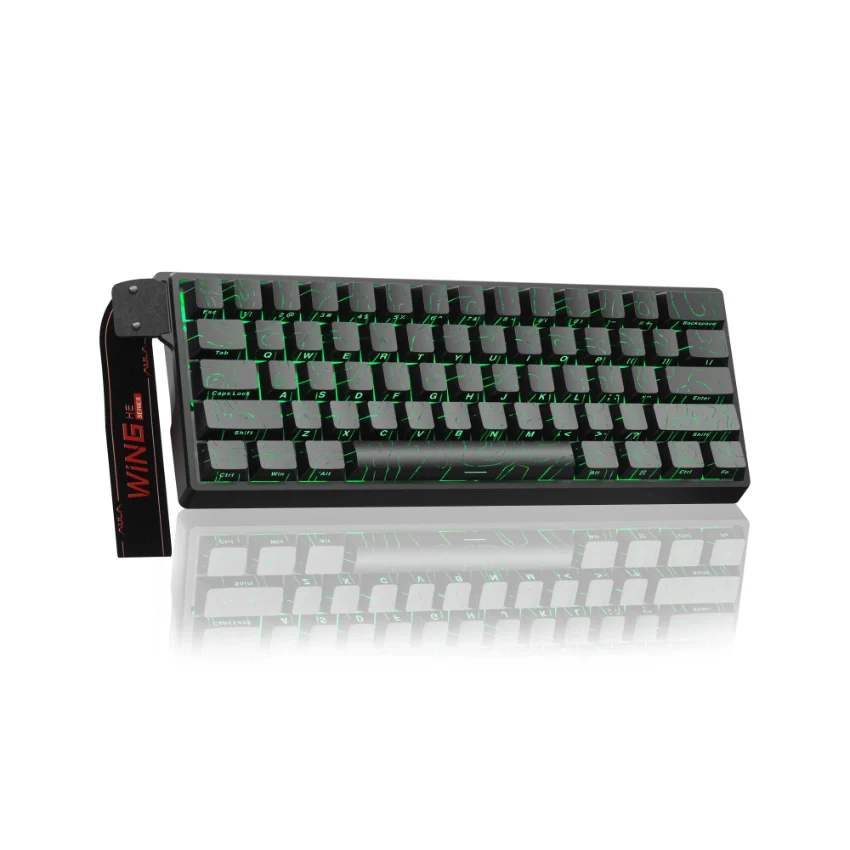
AULA WIN60 HE Wired Magnetic Keyboard - Image 75

Details & Craftsmanship

Every detail has been carefully considered to bring you the perfect product.
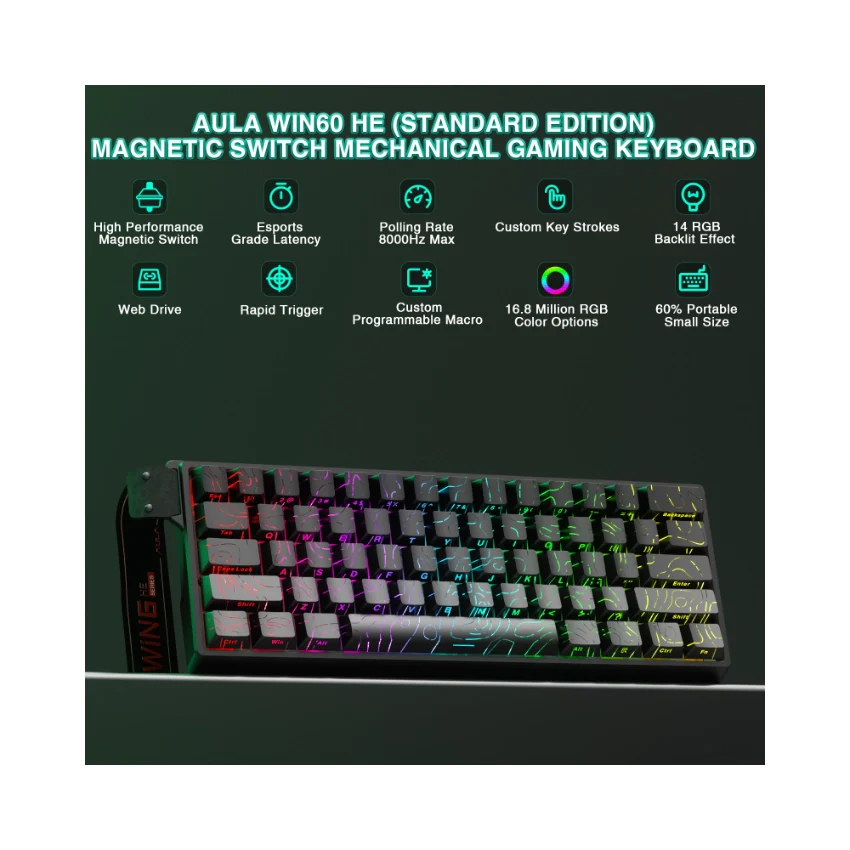
AULA WIN60 HE Wired Magnetic Keyboard - Image 76

Details & Craftsmanship

Every detail has been carefully considered to bring you the perfect product.
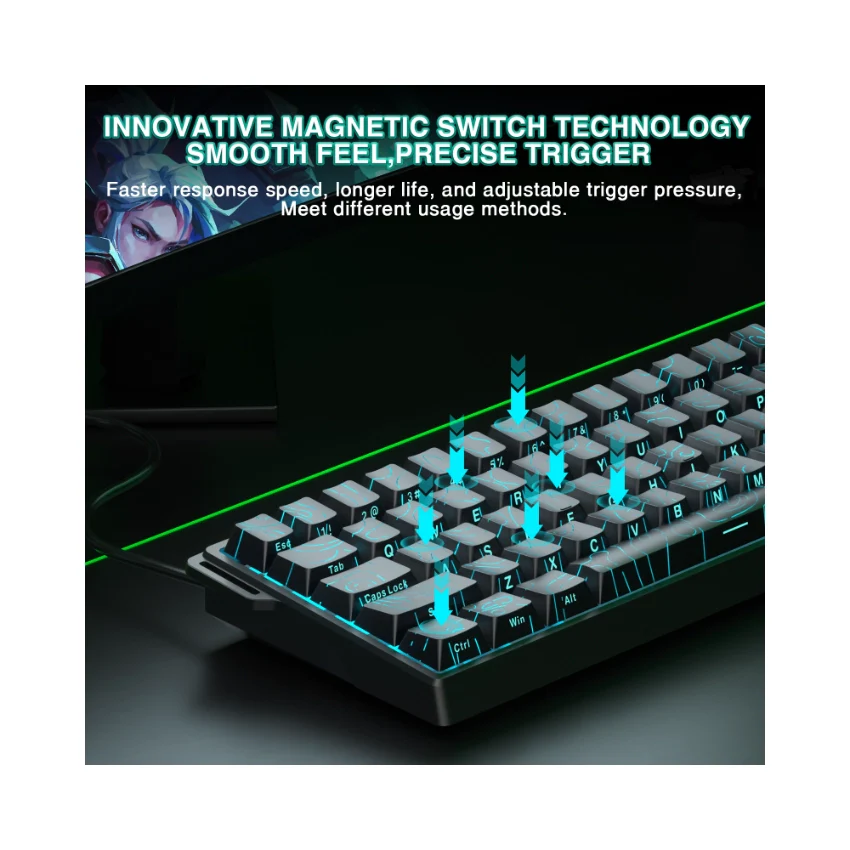
AULA WIN60 HE Wired Magnetic Keyboard - Image 77

Details & Craftsmanship

Every detail has been carefully considered to bring you the perfect product.
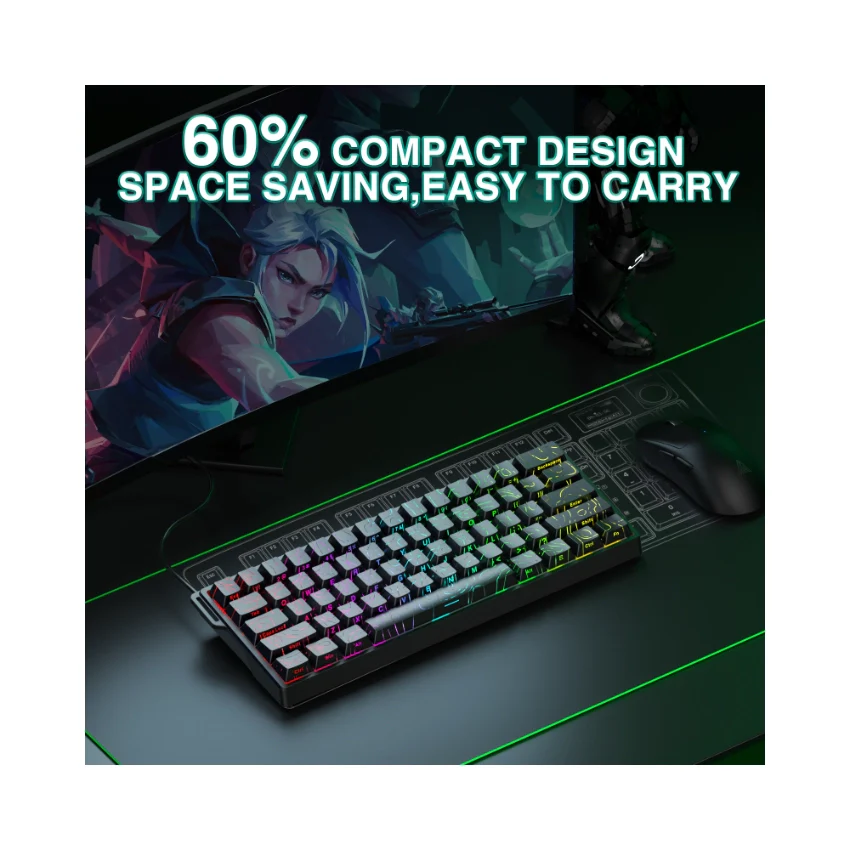
AULA WIN60 HE Wired Magnetic Keyboard - Image 78

Details & Craftsmanship

Every detail has been carefully considered to bring you the perfect product.
AULA WIN60 HE Wired Magnetic Keyboard - Image 79

Details & Craftsmanship

Every detail has been carefully considered to bring you the perfect product.
AULA WIN60 HE Wired Magnetic Keyboard - Image 80

Details & Craftsmanship

Every detail has been carefully considered to bring you the perfect product.
AULA WIN60 HE Wired Magnetic Keyboard - Image 81

Details & Craftsmanship

Every detail has been carefully considered to bring you the perfect product.
AULA WIN60 HE Wired Magnetic Keyboard - Image 82

Details & Craftsmanship

Every detail has been carefully considered to bring you the perfect product.

Description


Product Description

AULA Online Driver (Chrome)


How to Connect Software

  1. Visit the official "AULA" website.
  2. Navigate to the "Downloads" page, then click on "Driver."
  3. Locate the link for the "WIN60 Magnetic Switch Keyboard Website Driver" and select the "Standard Edition."
  4. Click "Allow browser access," choose your device from the list, and then click to connect.

The video showcases the product in use.The video guides you through product setup.The video compares multiple products.The video shows the product being unpacked.

AULA WIN60 HE Online Drive

Merchant Video
hall effect keyboard

mad 60 he

AULA WIN60 HE Hall Effect Keyboard-The Perfect Blend of Precision and Durability

What is the Hall Effect?

The Hall Effect is a physical phenomenon that allows our keyboard, like the AULA WIN60 HE, to detect whether a key has been pressed by sensing changes in the position of a tiny magnet beneath each key, rather than relying on traditional mechanical contact. This means every keystroke can be recognized with exceptional precision, while also avoiding the wear and tear issues common to traditional switches over time.

Why Choose the AULA WIN60 HE Hall Effect Keyboard?

Ā 

  • Unmatched Precision: With Hall Effect technology, the AULA WIN60 HE offers unparalleled accuracy, ensuring that every keystroke is registered correctly. It's perfect for gaming or tasks requiring rapid responses and fine control.
  • Extended Lifespan: Thanks to its innovative design without physical contact points, the AULA WIN60 HE is virtually immune to wear from use, ensuring long-term stability and reliability.
  • Adjustable Actuation Force: Customize the force required to activate a key according to your preferences. Whether you prefer a light touch or a firmer press, this feature caters to different user needs, making the AULA WIN60 HE highly versatile.
  • Quiet Operation: Compared to traditional mechanical keyboards, the AULA WIN60 HE operates more quietly, providing a more comfortable typing experience ideal for both gaming and office environments.

Whether you're a gamer, a professional, or a daily user, the AULA WIN60 HE Hall Effect keyboard is an ideal choice to enhance your input experience. Say goodbye to the limitations of traditional keyboards and enjoy unprecedented precision, durability, and customization with the AULA WIN60 HE!

  • Dynamic Keystroke (DKS): The current key can be modified to bind 1 to 4 functions, depending on the degree of pressing and releasing.
  • Press and Hold/Click (MT): A single key can perform two functions; pressing and holding the key performs one action, while clicking it performs another.
  • Toggle Switch (TGL): You can modify the current key to continuously trigger when clicked, while pressing and holding the key triggers it normally.
  • PRCS (SOCD Function): This binds two keys, where the key pressed later will force the release of the previously pressed key, ensuring only one key is triggered at a time.
  • Quick Trigger Function (RT): The quick trigger dynamically adjusts the trigger stroke and reset stroke based on your intention to press or release the key.
  • Visualize Fast Magnetic Switch Travel Calibration: This feature allows you to visually calibrate the travel distance of the magnetic switch.
  • Real-Time Detection of Visualized Magnetic Switch Travel: This feature provides real-time visualization and detection of the magnetic switch's travel distance.